

The AI Agent is available with Cadet, Voyager, and Enterprise plans. Learn more about our plans and pricing.
Getting Started
Open the Agent panel from the left sidebar and type a prompt describing what you want. Example prompt:Create a script that draws a rounded rectangle. Width, height, color, and corner radius should be inputs. When the inputs change, the drawing should update.The Agent will respond with:
- A summary of what it changed
- Any new scripts it created
- Explanations for how the script works
- Suggestions for how to customize it
Toolbar
Use the AI Agent toolbar to manage your conversations: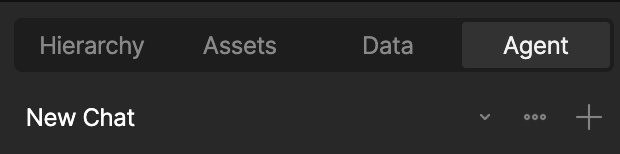
- New Chat – Start a new chat thread without losing your past conversations
- Toggle Chats – Go back to old chats
- Close Chat – Close the chat without losing your history